Getting to Know AI
By Hayden Sookchand ·
Most of us have used ChatGPT enough that the interaction feels pretty simple. You type something, ChatGPT responds. But there’s a lot happening between those two steps.
If you’re a developer working with AI, you’ll hear terms like model, harness, environment and agent. They can sound more complicated than they actually are, so let’s break them down using something as simple as typing “Hello” into ChatGPT.
Start with the model
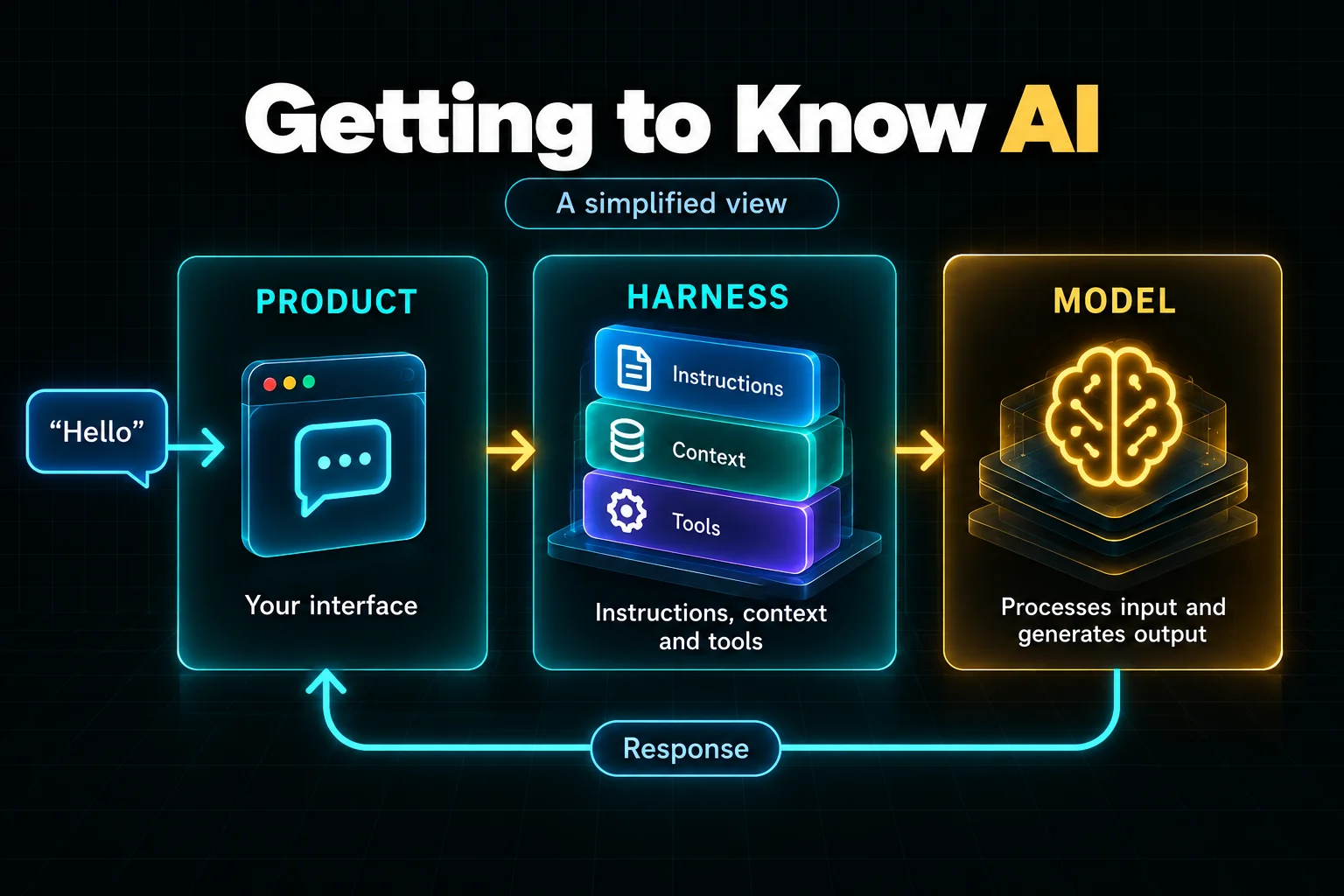
The model is the part processing your input and generating a response. GPT, Claude and Grok are examples of model families. I like to think of the model as the engine underneath everything else.
But when you open ChatGPT, you’re not interacting with a model on its own. ChatGPT is the product built around it. It gives you the interface, conversations, files, memory and tools that make the experience feel like ChatGPT.
A very simplified view would be:
You → ChatGPT → Model → Response
But there’s an important layer missing from that picture: the harness.
What is a harness?
The harness is the software around the model. It gives the model instructions, brings in relevant information and handles tools such as web search. For example, it might include your earlier messages so the model knows what you’re talking about.
So our picture becomes:
You → Product → Harness → Model → Response
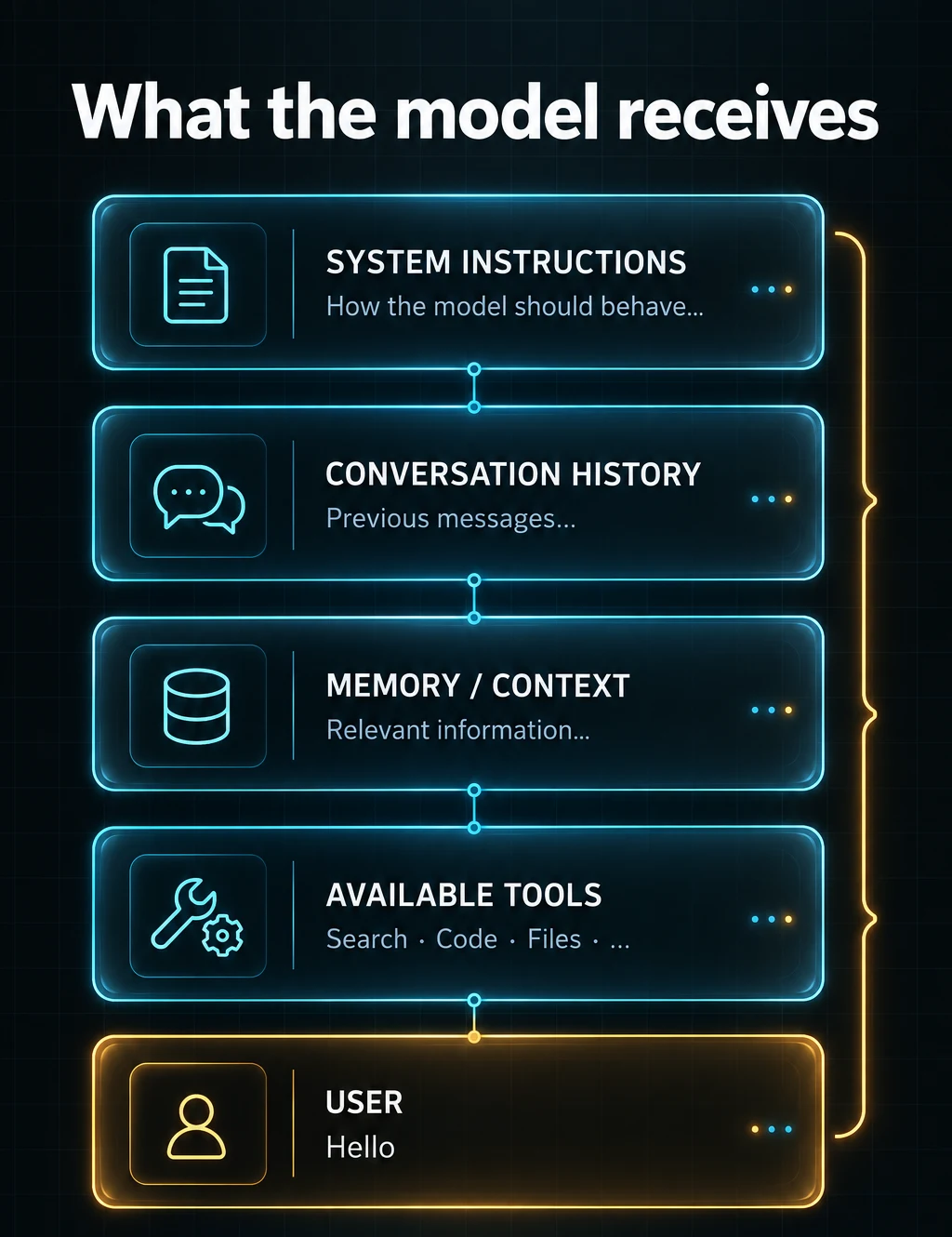
Now let’s go back to our “Hello” example. Your message might only be a token or two, depending on the tokenizer. But the product can include instructions, history and available tools alongside it. Conceptually, it could look something like this:
Read the text version
SYSTEM INSTRUCTIONS
How the model should behave...

CONVERSATION HISTORY
Previous messages...

MEMORY / CONTEXT
Relevant information...

AVAILABLE TOOLS
Search
Code
Files
...

USER
Hello
The prompt you type and the complete input the model processes aren’t necessarily the same thing. Even a simple “Hello” can arrive with a much larger amount of context.
What about the environment?
The environment is where the AI can work. For a coding agent in your code editor, that might mean your project files and a terminal for running commands. For a chat product, it might mean uploaded documents and connected services.
Put simply, the environment is the world the AI is able to interact with. The tools and permissions available determine which parts of that world it can use.
So what is an agent?
An agent brings these pieces together. It uses a model, a harness and an environment to work through a task. A coding agent, for example, might read a file, suggest a change and check whether it works.
Model + Harness + Environment = Agent
That’s a simplified picture, but it helps separate the pieces. The model processes information, the harness manages the interaction, and the environment is where actions happen.
Why does any of this matter?
We spend a lot of time talking about new models, but the surrounding system matters too. Two products could use the same model and feel very different because they provide different instructions, tools and context.
That’s probably the biggest thing I’ve learnt as I’ve started digging into these systems. Improving an AI product can mean improving what we put around the model, as well as the model itself.
The model is important. But so is everything we build around it.