Your AI Model Can’t Act on Its Own
By Hayden Sookchand ·
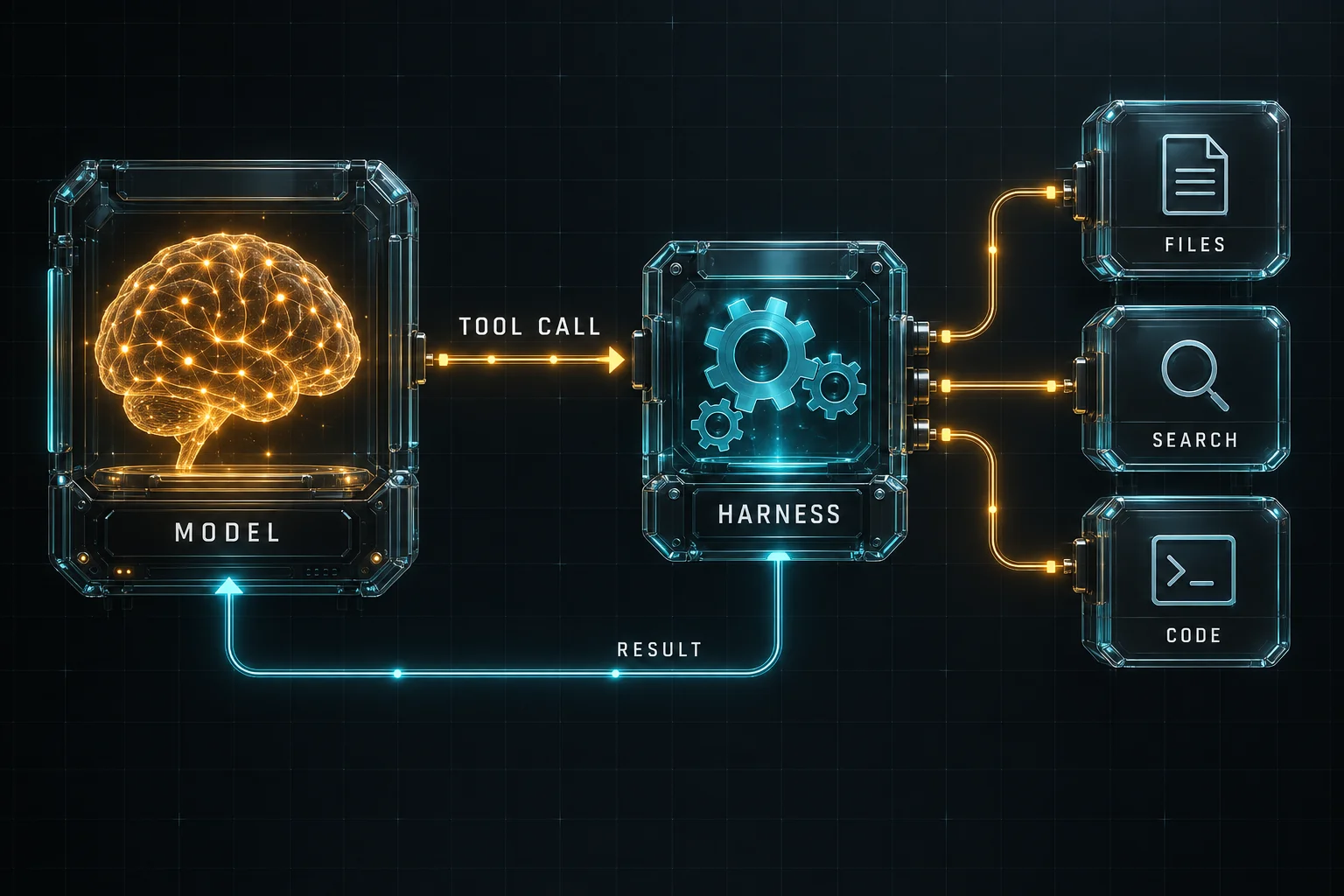
When you ask an AI to create a document, search the web or run code, it feels like the model is performing those actions itself. The model can generate the document’s content or suggest a command, but saving the file or running that command takes another step. That’s where tools come in.
We’ve already looked at models, harnesses and context. Tools are the next piece, so let’s break them down using a simple request: creating a document.
So what is a tool?
A tool is a capability made available by the system around the model. It might search the web, read a file, run code, query a database or call an API.
The model is told which tools are available and how to ask for them. It can then request an action, such as saving a file with a particular name and some text inside it. That request is called a tool call.
The model asks for the action. The harness, the software around the model, checks whether it is allowed and runs the tool.
Let’s create a document
Imagine you ask an AI:
Create a project plan for my new app and save it as a document.
The harness passes your message to the model along with useful context and a list of available tools. The model writes the plan and asks the document tool to save it. The harness then runs that tool:
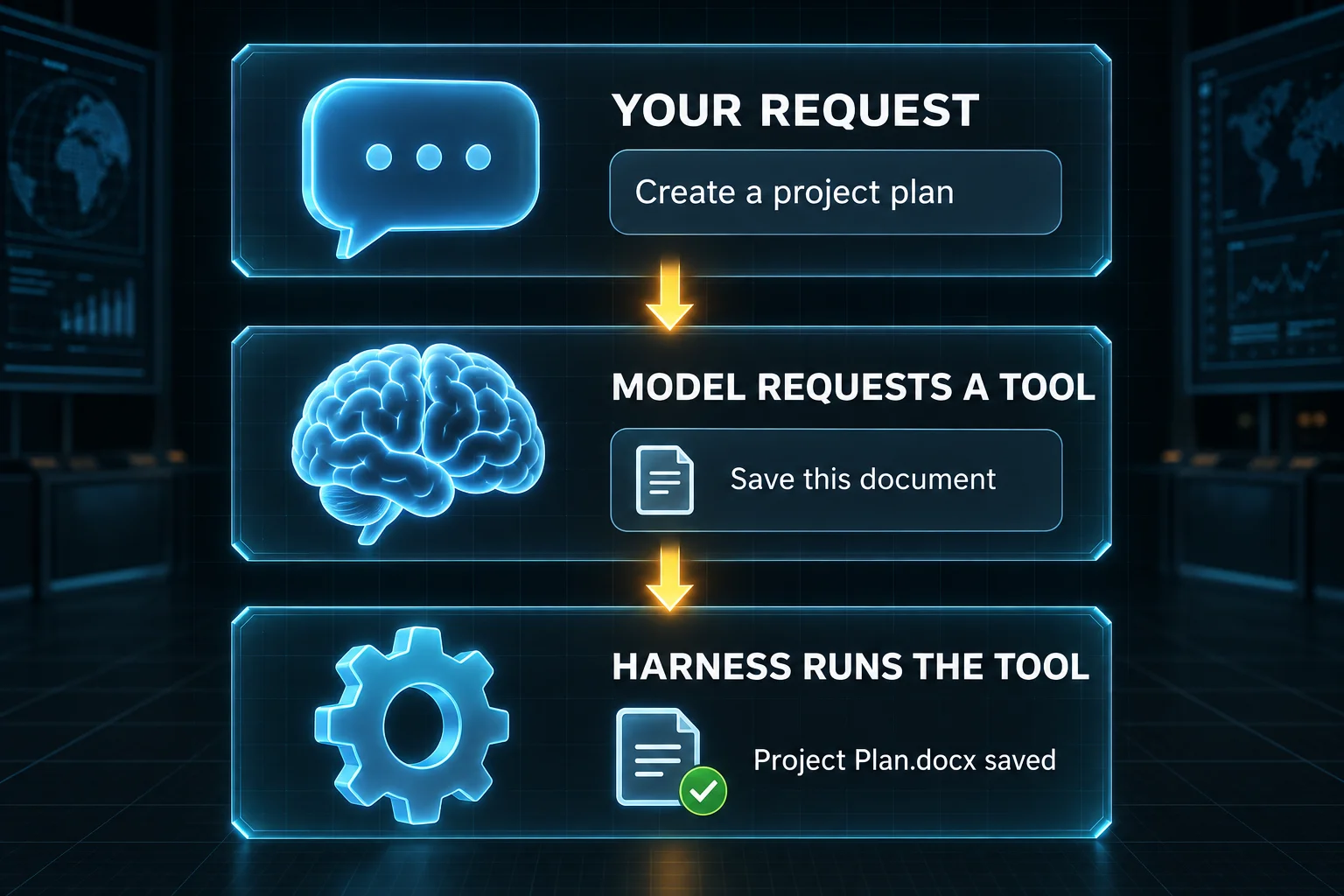
The important detail is that writing the plan and saving the file are separate steps. The model supplies the content; the tool creates the document in the environment.
The tool returns a result, such as confirmation that the file was saved. The harness passes that result back to the model, which can tell you where to find it. If saving fails, the model can use the error to decide what to try next.
A simplified view looks like this:
Request → Tool call → Action → Result
What does the model actually see?
The model receives the tool results that the harness includes in its context. A search tool might return pages and excerpts. A file tool might return text. A test command might return failures and error messages.
This connects to the previous article: context includes more than conversation history. Tool results help the model decide what to do next. If a test reports a missing file, for example, that gives it something concrete to investigate.
One tool call can lead to another
Now imagine asking a coding agent to fix a failing test. It might read the test, inspect the implementation, make a change and run the test again. Each result informs the next decision.
A useful way to picture this is:
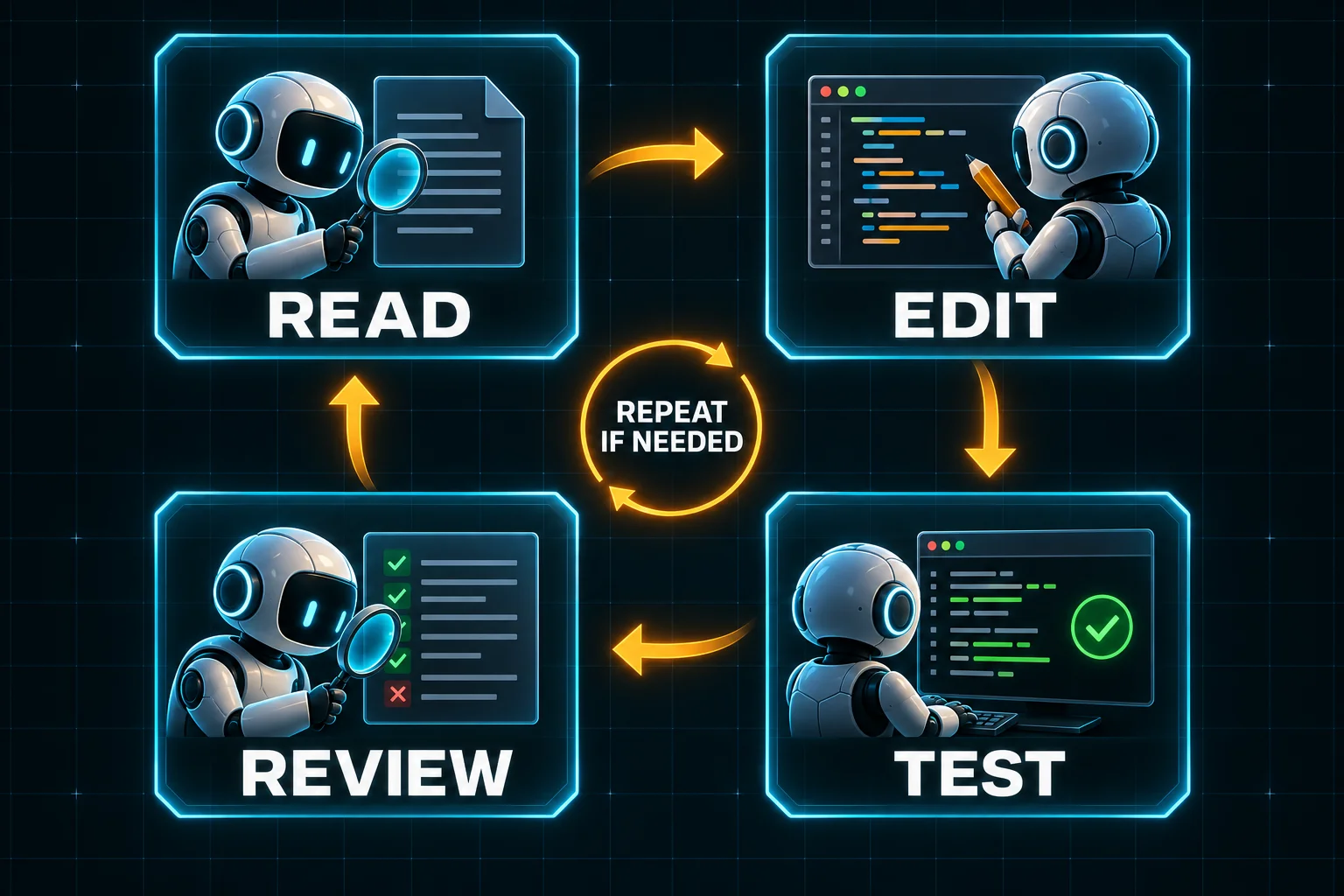
This process is often called an agent loop. The agent takes a step, checks the result and decides what to do next. It may repeat those steps until the task is complete, it reaches a limit or it needs your help.
Why does this matter?
Two products using the same model can have different capabilities because they provide different tools, permissions and environments. A coding agent with a terminal tool can run commands through its harness; a chat product without that tool cannot.
The pieces now fit together: the model processes information, the harness manages the interaction, context informs each decision, and tools perform actions in the environment. Understanding that separation makes it easier to see what an AI product can actually do.